
Shared activity calendar
A shared activity calendar for co-parents.
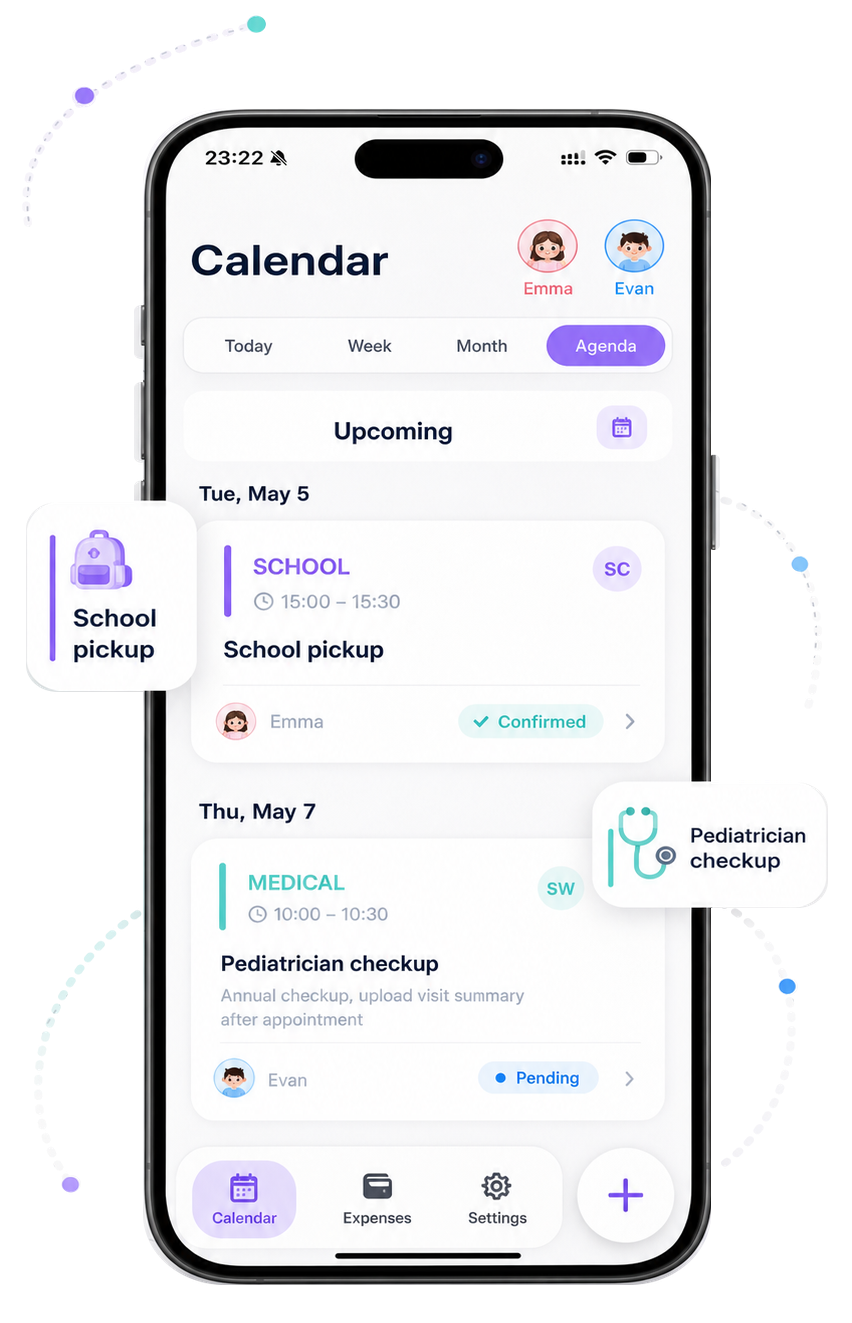
Plan sports, music lessons, school events, birthdays, medical appointments, holidays, pickup times, and drop-offs in one child-first calendar.


Built for activity-heavy weeks across two homes.
★★★★★4.9 on the App Store
For co-parents
Built for the plans that move a child's week.
A shared calendar helps each parent see the child, activity, time, location, and responsibility without piecing it together from scattered messages.
School events, holidays, and appointments
Pickup and drop-off details with ownership

The planning problem
Co-parenting plans should not live in scattered messages.
Who is picking up after practice?
Did we already pay for the school trip?
Where is the latest schedule change?
Which tasks are overdue?
Which plans belong to which child?
What did we agree on?
Hando keeps the plan, responsibility, expense, and context together — organized by child and easy for both homes to follow.
How it works
Start with the child, then add the plan.
Create child profiles
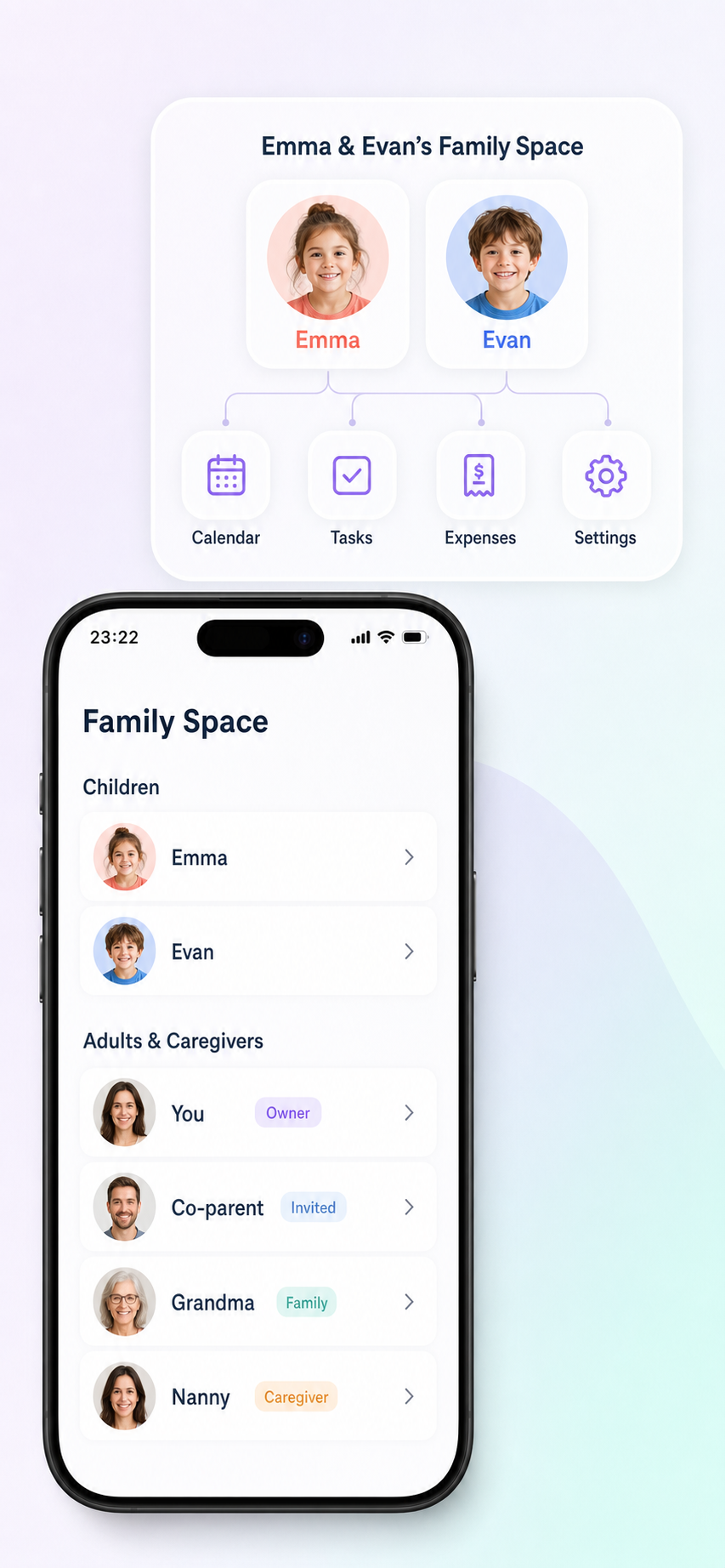
Keep schedules, activities, tasks, expenses, and important details organized for each child.
Add plans and responsibilities
Create events, tasks, pickup times, drop-offs, expenses, and due dates with clear ownership.
Invite your co-parent
Keep both homes aligned with shared context, filters, and updates without digging through long text threads.
Features
Everything stays connected to the child plan.
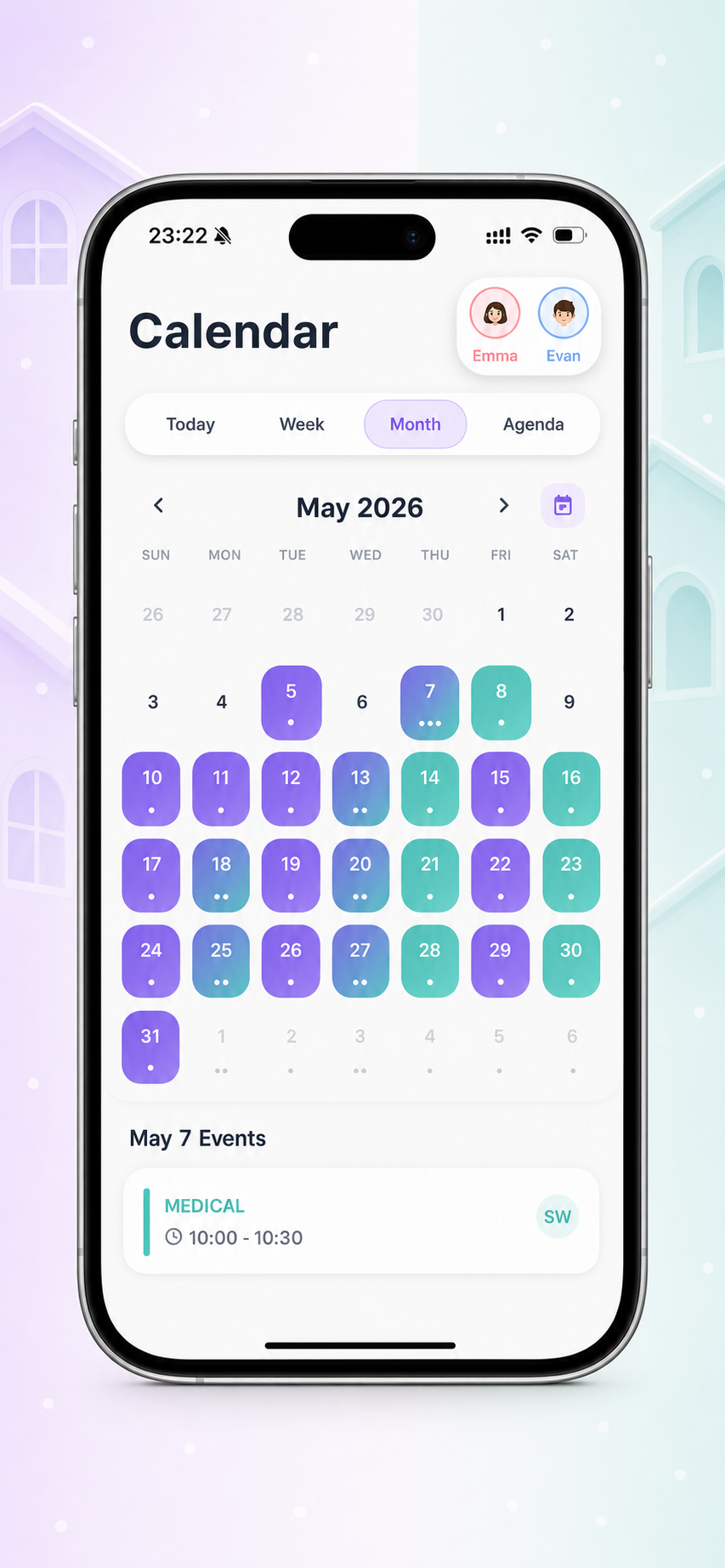
Shared activity calendar
One calendar for the parts of your child's life that matter.
Coordinate custody days, school events, sports, lessons, medical appointments, holidays, pickup times, drop-offs, and Google Calendar sync from one shared place.
- Custody days and holidays
- School events and medical appointments
- Sports, lessons, hobbies, pickups, and drop-offs
- Google Calendar connection
Both homes can see what is happening, who is responsible, and what changed.
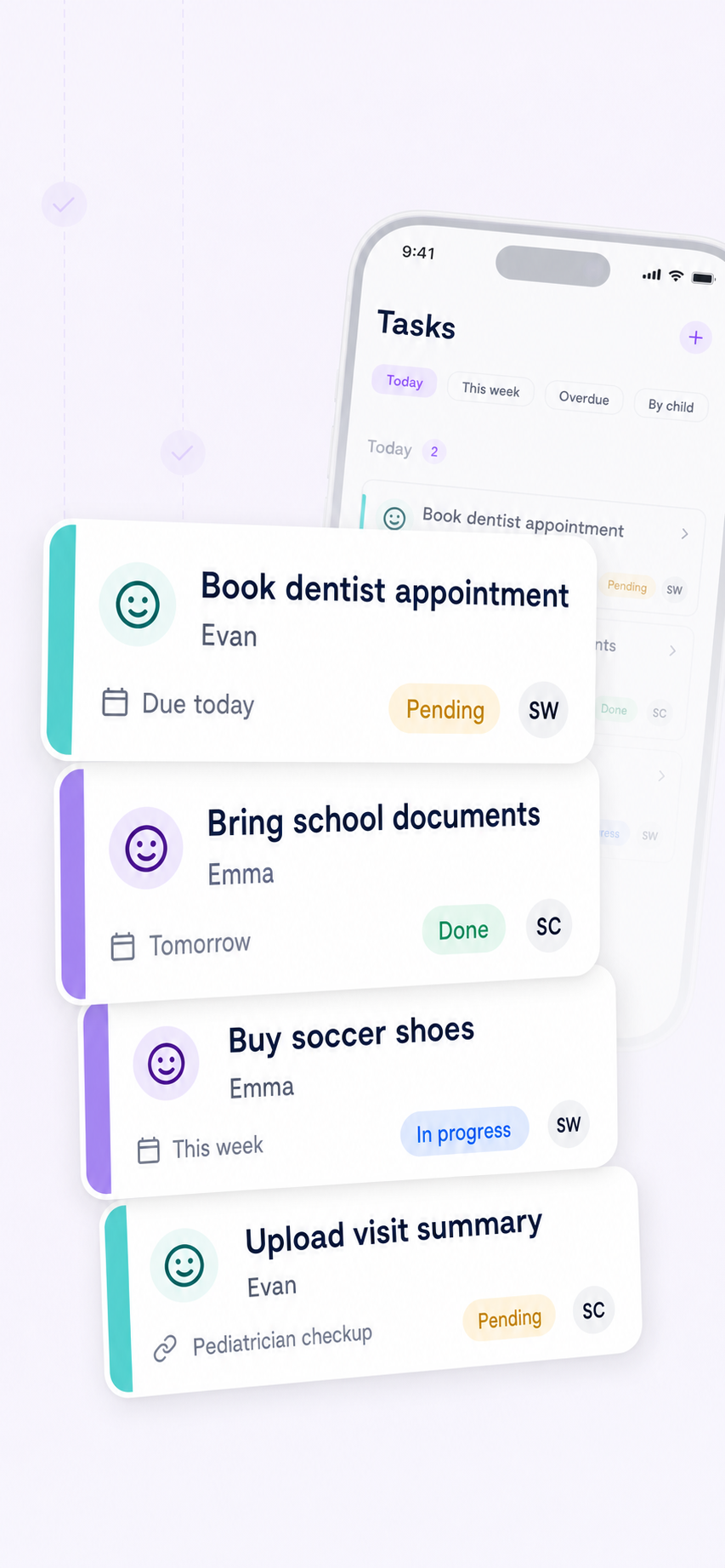
Tasks with ownership
Make it clear who is responsible for what.
Assign routine co-parenting responsibilities to the right adult, connect them to a child, set due dates, and track status over time.
- Responsible parent
- Due date and status
- Child association
- History and overdue filters
Less guessing, fewer repeated reminders, and a clearer handoff between homes.
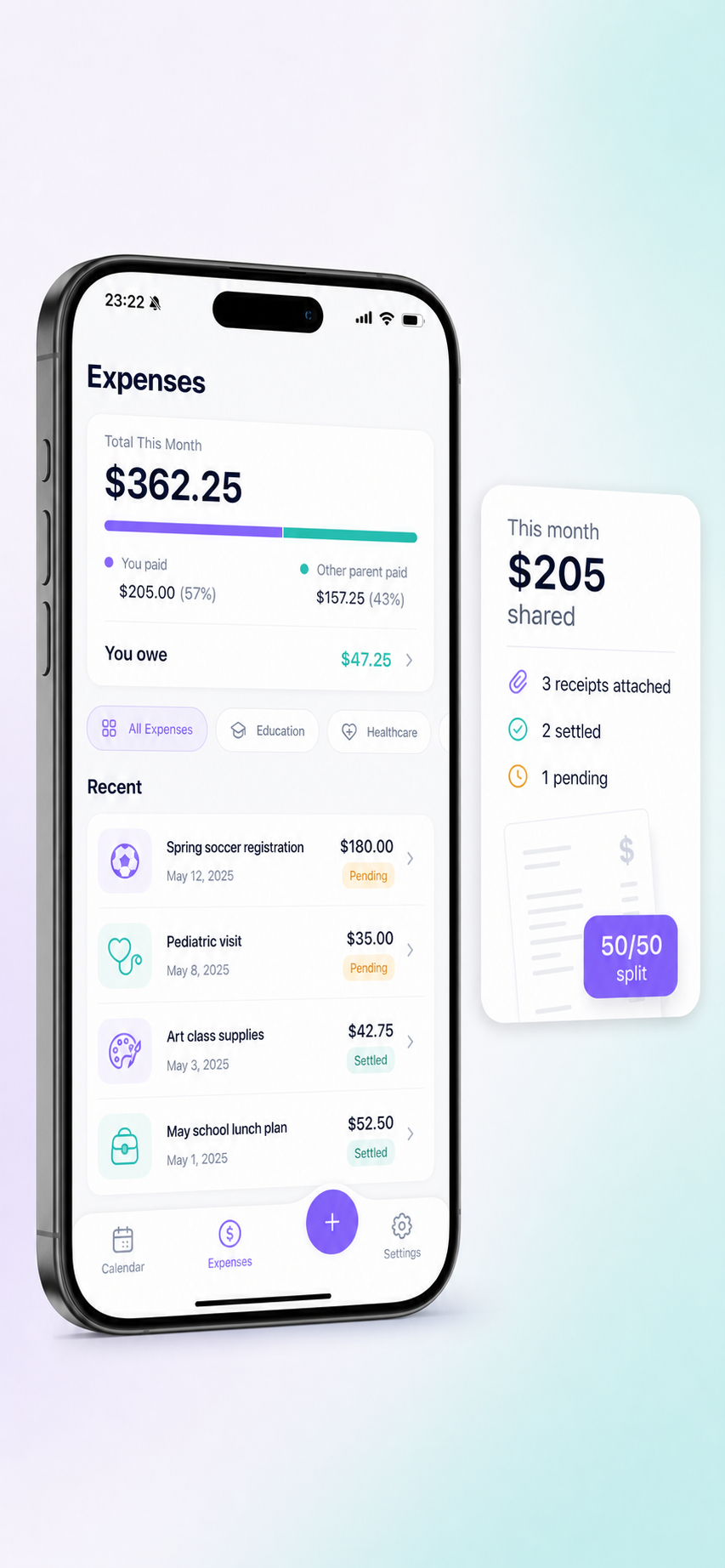
Shared expenses
Track child-related costs without spreadsheet drama.
Keep activity costs, receipts, notes, payment status, and responsibility near the plan they belong to.
- Receipts and notes
- Paid, pending, and review status
- Activity costs and supplies
- Shared responsibility
School trips, sports fees, tickets, supplies, and other shared costs stay easier to review.
Child profiles
Keep each child's details separate and easy to find.
Profiles help organize schedules, tasks, expenses, and important details by child, even when a family is managing multiple routines.
- Profiles for each child
- Schedules and activities
- Tasks and expenses
- Filtering by child
Parents can filter and scan without mixing one child's plan into another's.
Context where it belongs
Stop searching through long text threads.
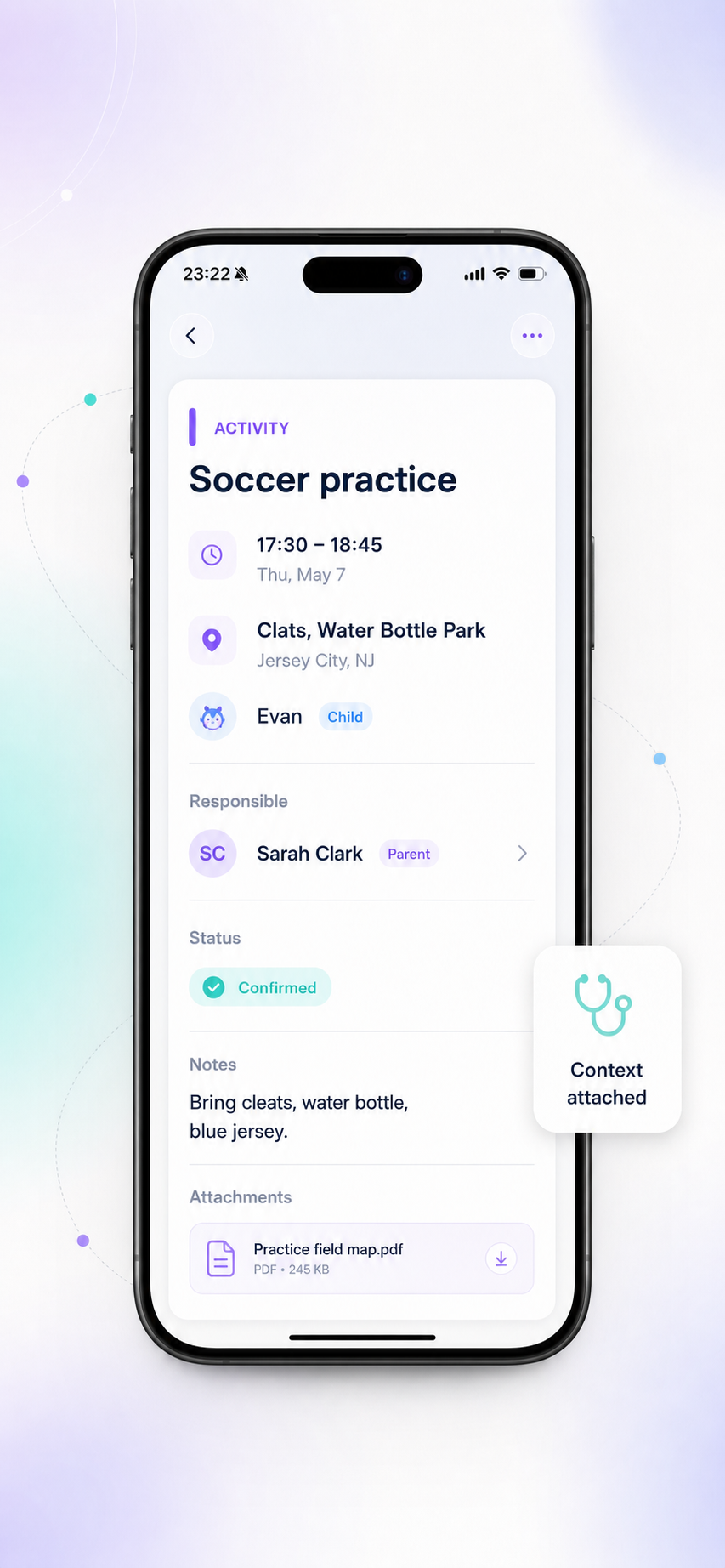
Keep the latest context attached to the event, task, or expense instead of buried in separate texts, calls, emails, and notes.
- Details attached to plans
- Easier review
- Less repetitive back-and-forth
- Clearer context across homes
Both homes have a calmer way to review what matters before plans change.
Child-first philosophy
Designed around your child's life — not your conflict.
Some co-parenting tools focus on legal records and conflict documentation. Hando focuses on the everyday structure that helps children thrive: showing up on time, keeping activities visible, sharing responsibilities, and making plans easier to follow across two homes.

Why Hando
A shared structure works better than scattered tools.
| Scattered chats and generic calendars | Hando |
|---|---|
| Plans get buried in messages | Plans stay attached to the child, event, task, or expense |
| Responsibility is unclear | Every task can have an owner, due date, and status |
| Expenses live in separate notes | Child-related costs stay organized in one place |
| Multiple children become hard to manage | Filter by child, adult, today, this week, overdue, or upcoming |
| Last-minute confusion creates stress | Shared structure helps both homes stay aligned |
Trust and privacy
Your family details deserve a private, organized place.
Hando includes account settings, privacy policy access, terms access, feedback options, logout, and account deletion controls so family details can be managed with care.
End-to-end encryptionNo data sold to third partiesAccount deletion anytimeCOPPA-aware designPrivate family workspace
Web, iPhone, and Android
Start on the web, continue on your phone.
Create your Hando account online or download the app from the App Store or Google Play.
FAQ
Common questions from co-parents.
What is Hando?
Hando is a child-first co-parenting app that helps separated, divorced, and co-parenting families organize shared schedules, activities, tasks, expenses, and important child details across two homes — all in one calm place.
Who is Hando for?
Hando is built for any family where a child's life spans two homes. Whether you are recently separated, divorced, or have been co-parenting for years, Hando helps both parents stay aligned on everyday logistics without long text threads or last-minute confusion.
Is Hando free?
Hando offers a free plan that covers core features like shared calendars, tasks, and child profiles. Premium features such as expense tracking and advanced filters are available through an affordable subscription. You can start free and upgrade anytime.
Which devices does Hando support?
Hando is available on iPhone (App Store), Android (Google Play), and on the web. Your data syncs automatically across all devices, so both parents always see the latest plan.
Can I use Hando if my co-parent has not joined yet?
Absolutely. You can start by creating child profiles and adding your first plans, tasks, or expenses on your own. When you are ready, send an invite to your co-parent — they will see everything you have set up and can start contributing right away.
Can I manage more than one child?
Yes. Hando supports individual child profiles, so schedules, tasks, expenses, and details stay organized per child. You can filter by child at any time to focus on one child's plan without mixing it into another's.
How does shared expense tracking work?
You can log child-related expenses (school trips, sports fees, supplies, medical costs), attach receipt photos, mark payment status, and assign responsibility. Both parents see the same expense history, making it easier to review shared costs without spreadsheets or separate notes.
Can I connect my Google Calendar?
Yes. Hando supports Google Calendar sync so your child's activities, custody days, and appointments appear in the calendar you already use every day. Changes made in Hando sync automatically.
Does Hando replace legal advice or a parenting plan?
No. Hando is a coordination tool for everyday family logistics. It is not legal advice and does not replace a court order, attorney, mediator, or formal parenting agreement. Think of it as the day-to-day layer that helps both homes follow the plan you already have.
Is my family's data private and secure?
Yes. Your family workspace is private to invited members only. Hando uses encryption, does not sell your data to third parties, and gives you full control — including the ability to delete your account and all associated data at any time.
What should I do first after signing up?
Start by creating a child profile, then add your first activity, task, or expense. After that, invite your co-parent so both homes can see and contribute to the same shared plan.
Ready when you are